Soullifter
A fitness app that opens to an answer, not a menu — personalized daily metrics, structured programs, an interactive body map, AI meal logging, and progress lenses for body, performance and activity.
Category
Native iOS app
Setup
TestFlight · real device builds
Stack
Swift · Health-aware
Mode
Training + nutrition in one
Screens
Nine screens. One coherent system.
Home through Progress — training, movement and food share the same design language.
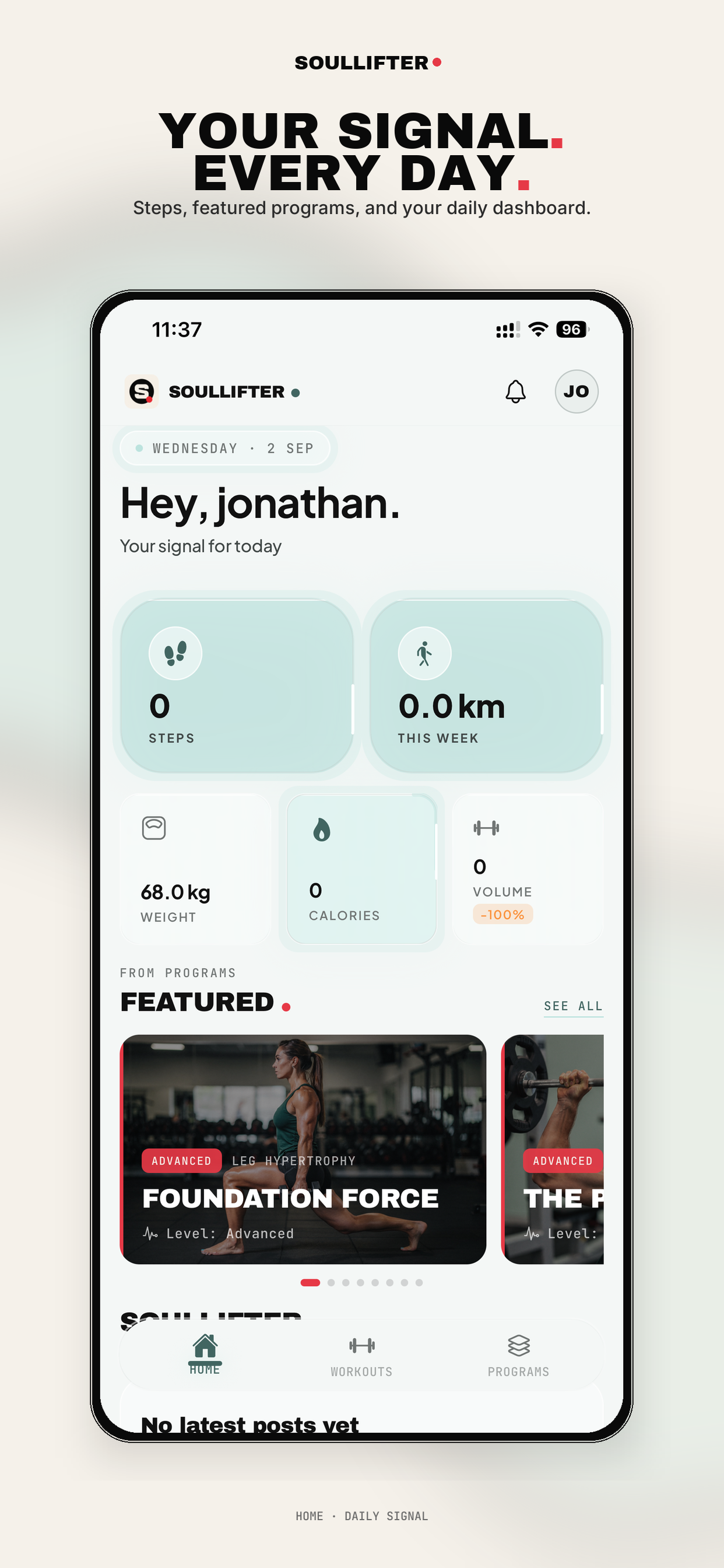
01 · Home
Home
Your signal for today.
- Personalized daily dashboard — greets by name, shows the date, sets the day’s intent
- Five live metrics at a glance: steps, weekly distance, weight, calories, training volume
- Trend deltas on every tile — you see direction, not just numbers
- Featured programs carousel with difficulty badges and level tags
- Notification bell + profile avatar — account and alerts without leaving home
- Community feed section built into the home screen
- Three-tab bottom nav (Home / Workouts / Programs) — the whole app is two taps deep
Most fitness apps open to a menu. This one opens to an answer.
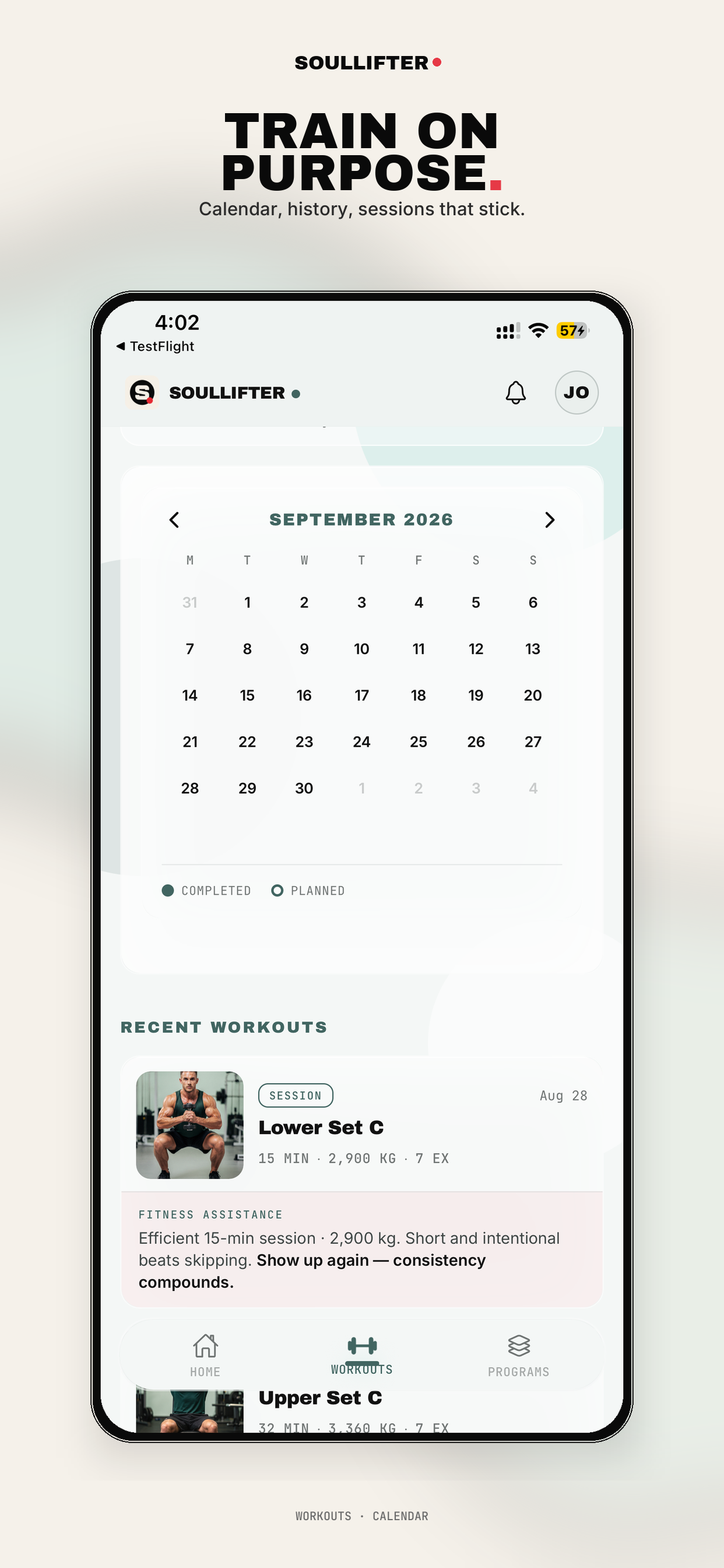
02 · Workouts
Workouts
Consistency you can see.
- Full training calendar with month navigation
- Completed vs Planned markers — intention vs execution made visible
- Recent workouts feed with thumbnail, session name, date
- Session summary metrics: duration, total volume in kg, exercise count
- AI Fitness Assistance commentary on your actual session
- Encouragement tuned to behavior, not generic praise
The calendar shows the streak, the AI explains why it matters. That’s what keeps people logging past week three.
03 · Programs
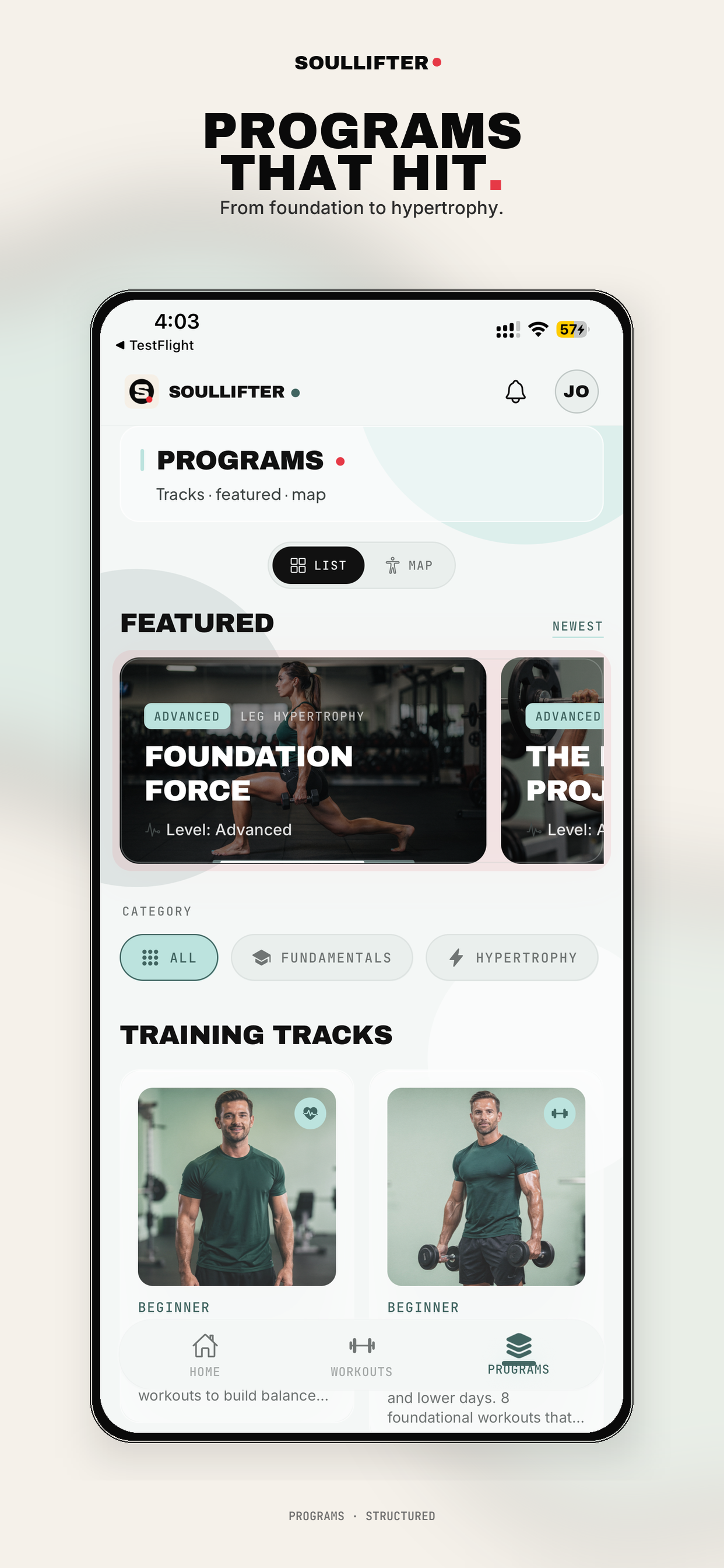
Programs
Structured training, not random workouts.
- Dual browse modes: List and Map — search by program or by muscle
- Featured program carousel with cover art and level badges
- Category filters (All / Fundamentals / Hypertrophy)
- Training Tracks — multi-week progressions grouped by level
- Difficulty tagging across the library (Beginner → Advanced)
- Newest sort for fresh content
- Program descriptions with workout counts and structure preview
Tracks with a beginning and an end give users a reason to come back tomorrow. Loose workout libraries don’t.
04 · Body Map
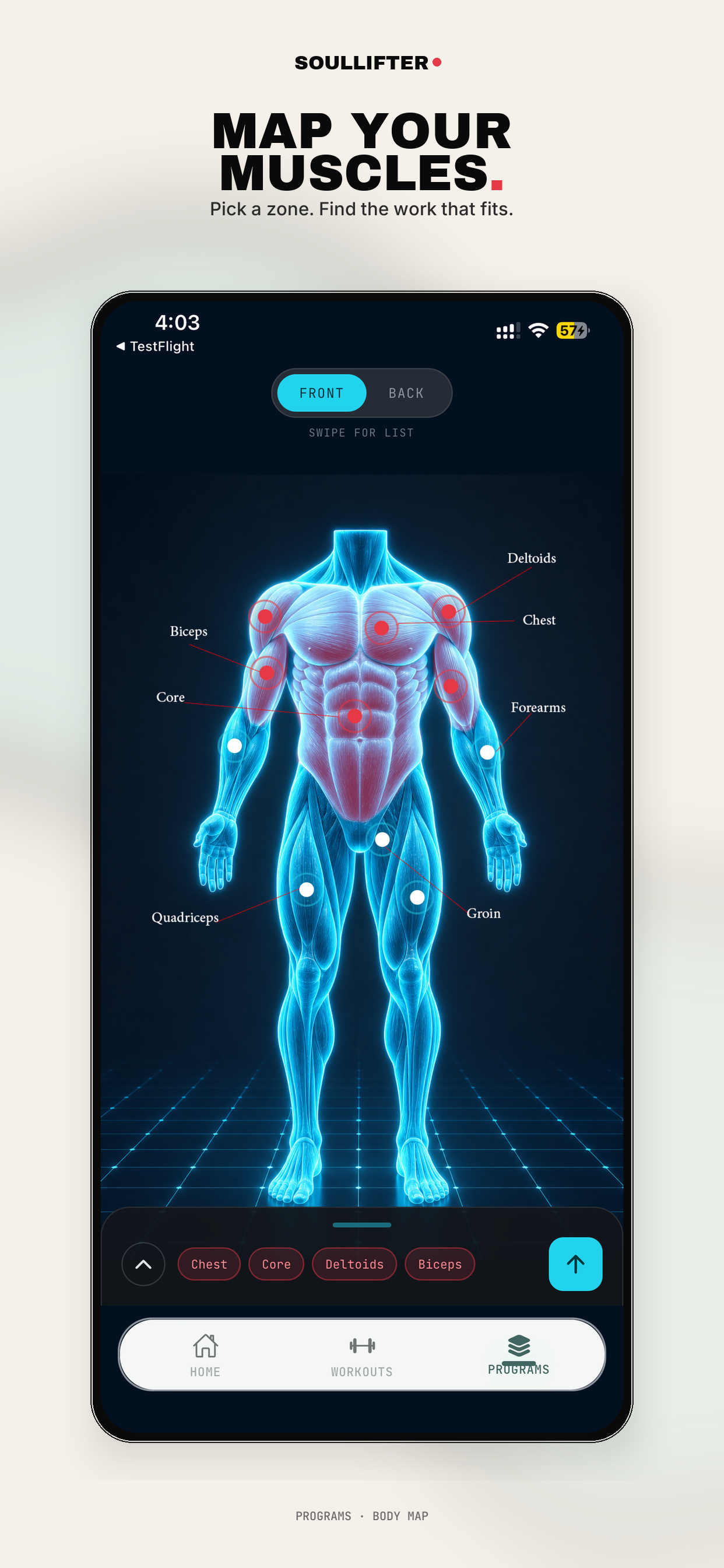
Body Map
Pick a zone. Find the work that fits.
- Interactive anatomical muscle map — front and back views
- Tappable muscle zones with labeled hotspots
- Visual training-load indication — worked vs neglected zones
- Multi-select filter chips built from your selections
- Swipe-to-list for users who prefer text
- Dark immersive mode — the visual differentiator in every demo
This is the screenshot that sells the app. Nobody else’s muscle picker looks like this.
05 · Nutrition
Nutrition
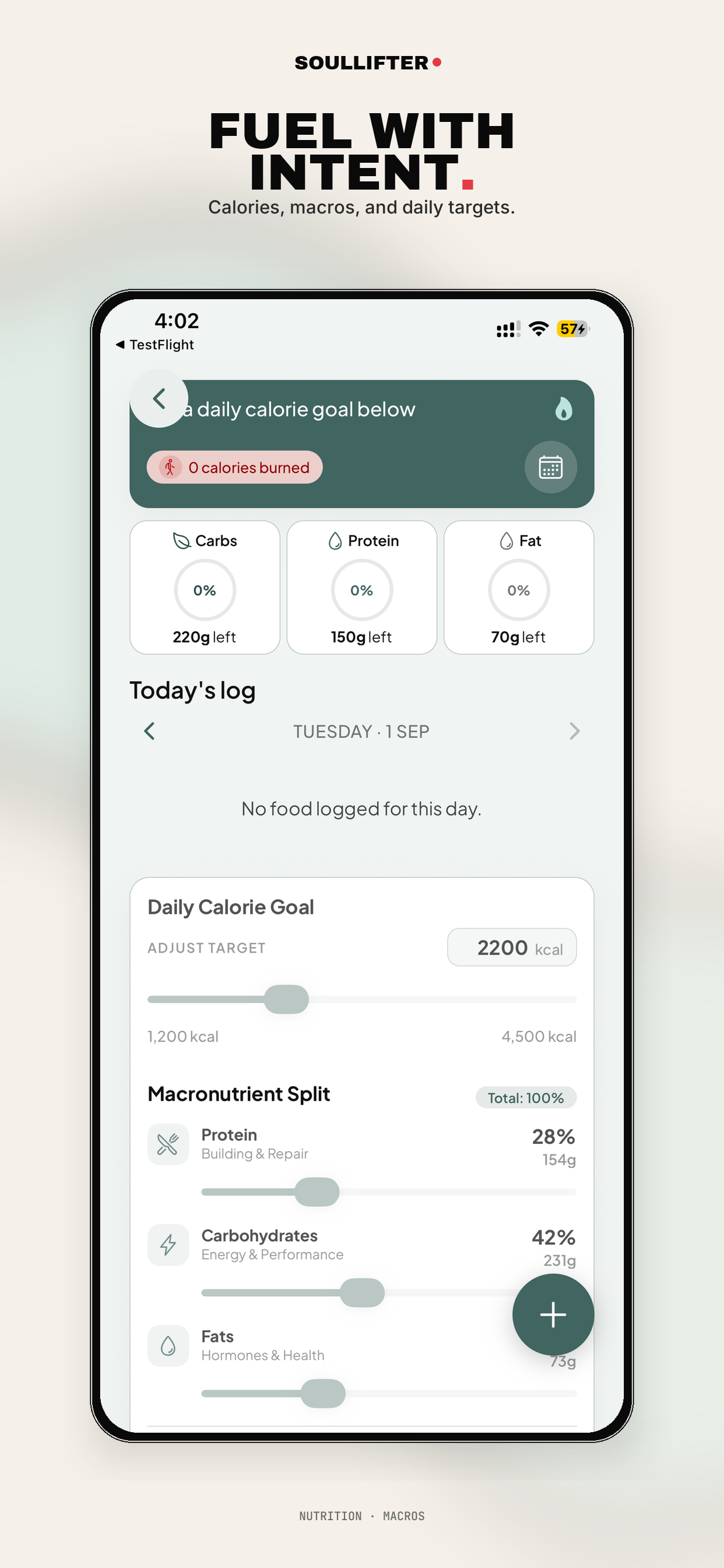
Calories, macros, and daily targets.
- Daily calorie goal with adjustable slider (1,200–4,500 kcal)
- Custom macronutrient split — protein, carbs and fats by %, auto-converted to grams
- Plain-language macro framing that teaches while it tracks
- Live ring progress per macro with grams remaining
- Calories-burned integration — training feeds back into the nutrition target
- Date-navigable daily log — review or backfill any day
- Quick-add floating button from anywhere on the screen
Training and nutrition share one number. Most apps make you run two subscriptions to get that.
06 · Meal Scan
Meal Scan
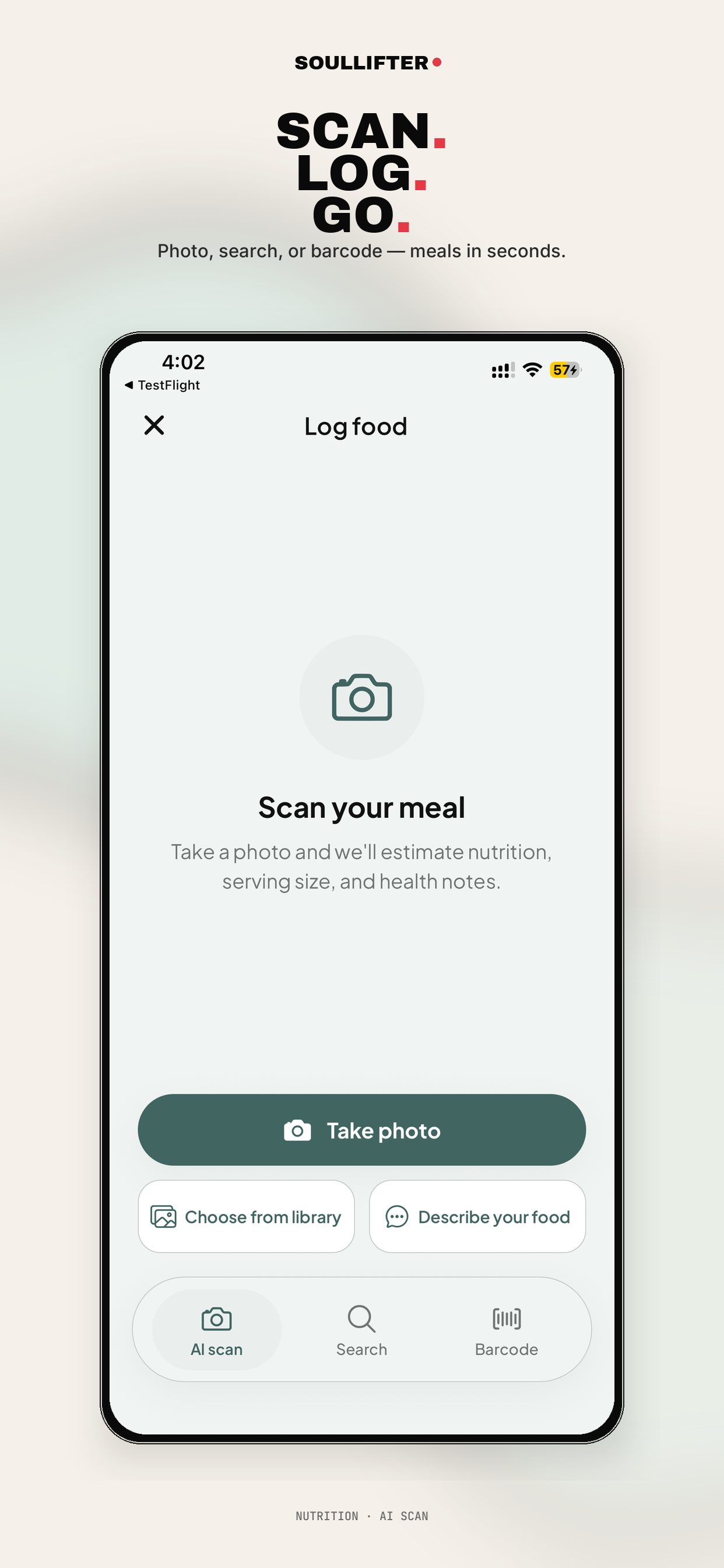
Photo, search, or barcode — meals in seconds.
- AI photo recognition — snap the plate, get nutrition estimated
- Serving size estimation, not just item identification
- Health notes generated per meal
- Choose from photo library for meals logged after the fact
- Natural-language description input — type what you ate
- Barcode scanning for packaged food
- Text search fallback — four input methods so logging never fails
Food logging is where nutrition apps lose users. Four ways in means there’s no excuse to skip a meal.
07 · Progress · Body
Progress · Body
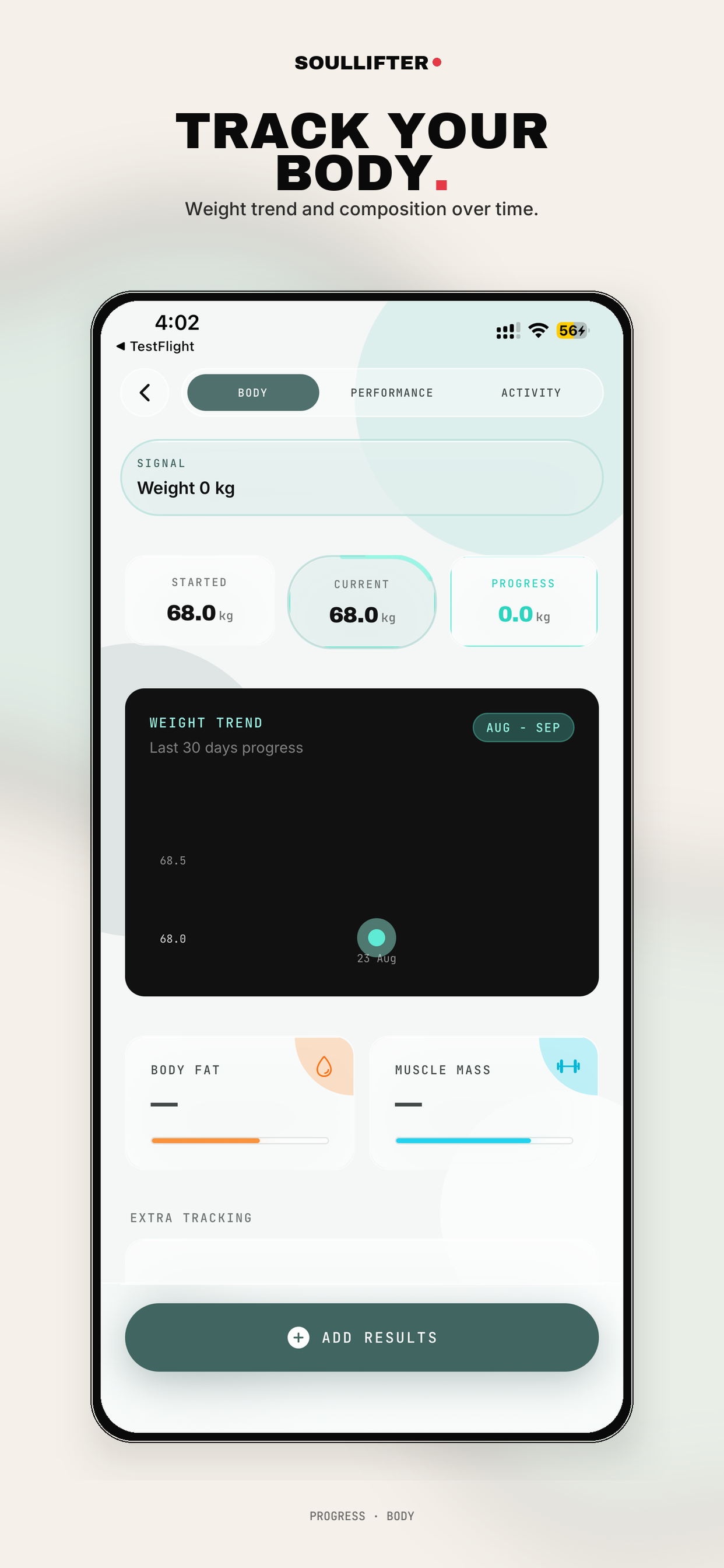
Weight trend and composition over time.
- Started / Current / Progress comparison — total change, not just today
- 30-day weight trend chart with month range selector
- Body fat % tracking with visual progress bar
- Muscle mass tracking — separates recomposition from weight loss
- Extra tracking fields for additional measurements
- Manual result entry for scale or caliper data
- Segmented Body / Performance / Activity tabs
Weight alone lies. Showing fat and muscle side by side is what keeps users from quitting during a recomp.
08 · Progress · Performance
Progress · Performance
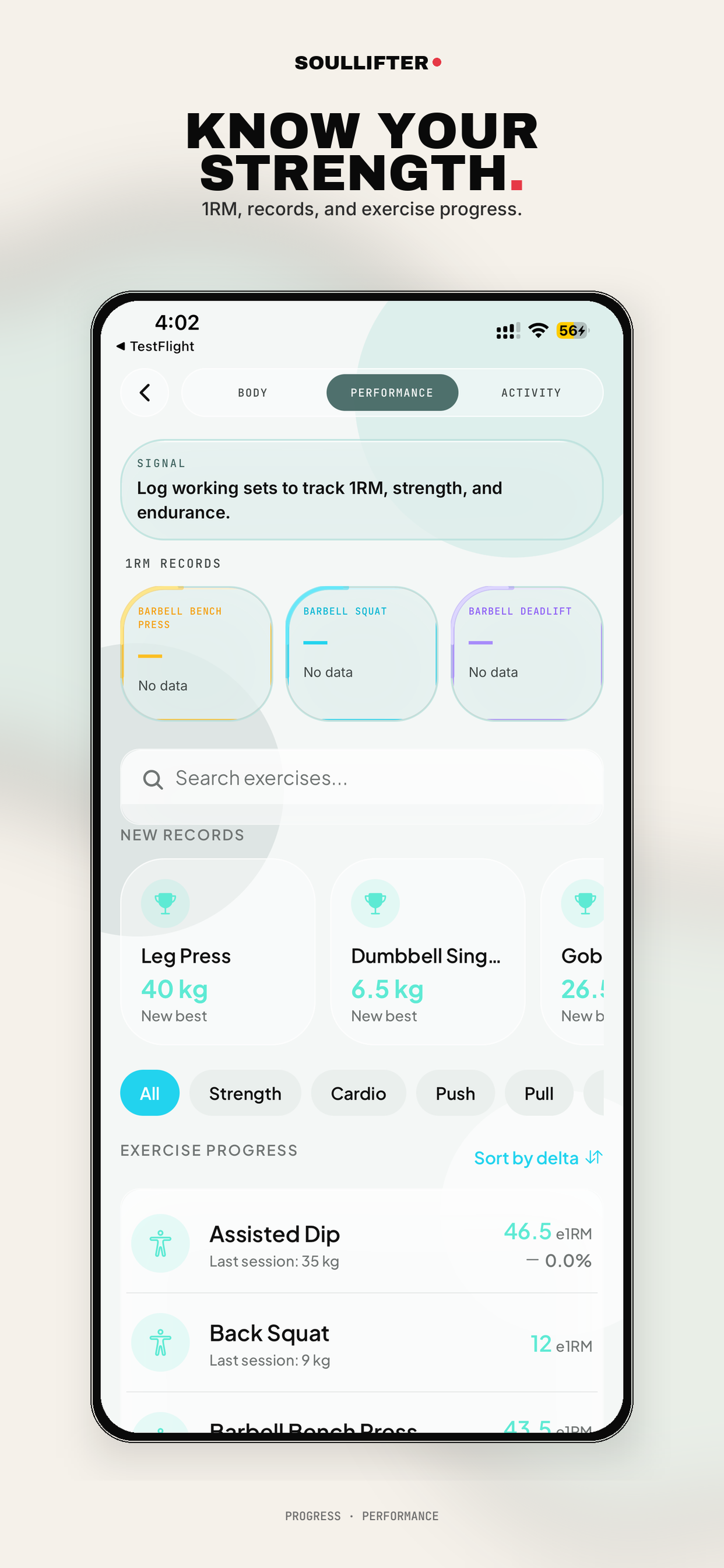
1RM, records, and exercise progress.
- Estimated 1RM tracked per exercise from logged working sets
- Big three record cards (bench, squat, deadlift) highlighted
- New personal records feed with trophy cards
- Full exercise search
- Movement-pattern filters (Strength, Cardio, Push, Pull)
- Exercise progress list with last session weight and % change
- Sort by delta — surfaces what’s improving and what’s stalled
“Sort by delta” is the coach’s view. It tells you which lift to fix this week.
09 · Progress · Activity
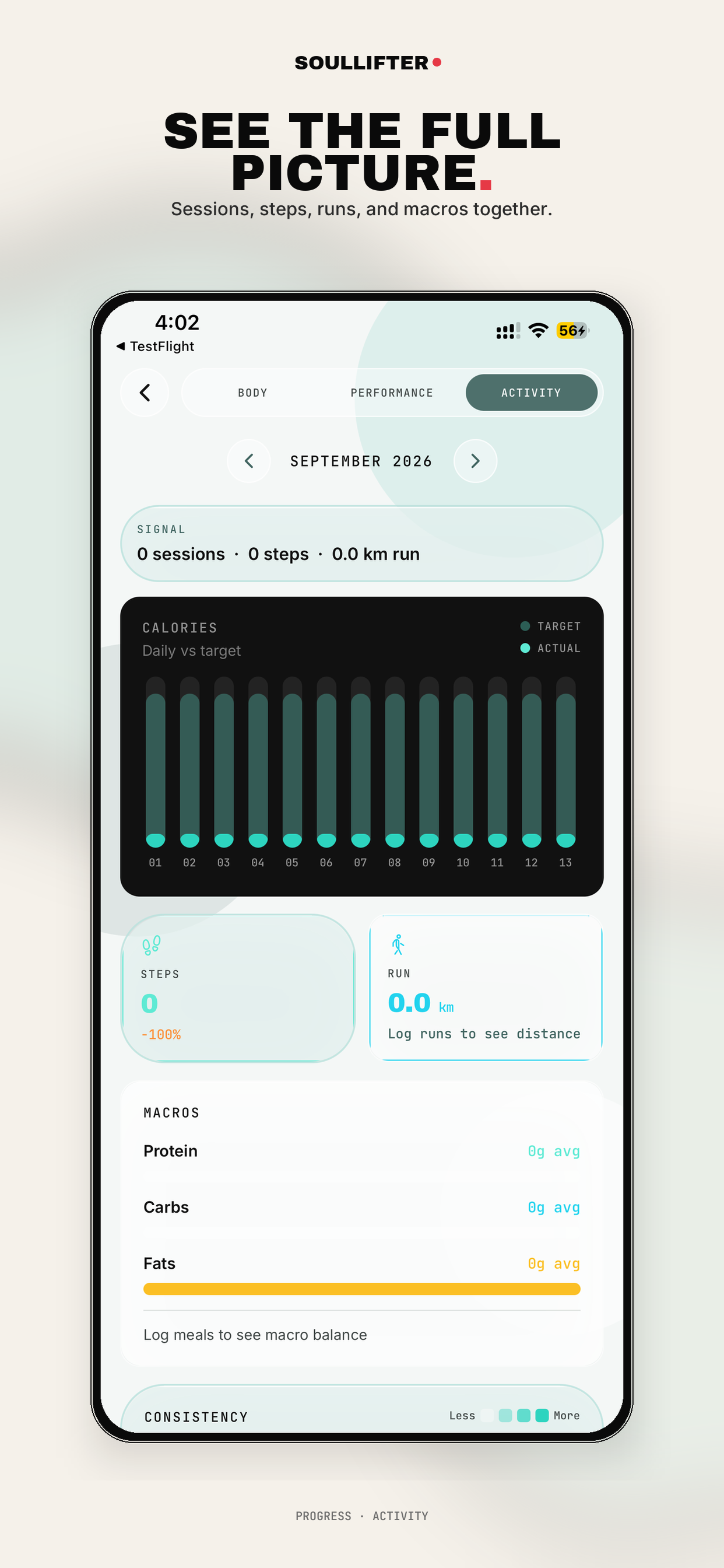
Progress · Activity
Sessions, steps, runs, and macros together.
- Monthly signal summary — sessions, steps, distance in one line
- Daily calories chart, actual vs target, across the month
- Steps card with % change
- Run distance tracking
- Monthly macro averages with balance bar
- Consistency heatmap (less → more) — habit visualization
- Month-over-month navigation
The only screen in the app where training, movement and food sit on the same page. That correlation is the product.
Capabilities
Why it stands out
Cross-cutting advantages built into the product from day one.
Native iOS, TestFlight
Real device builds — not a web wrapper. Shipped via TestFlight.
AI where it saves time
Meal recognition and session feedback — two places AI actually helps.
Coherent design system
Cream/sage palette, condensed display type, monospace data labels, consistent cards across nine screens.
Empty states that instruct
“Log runs to see distance” — never a blank hole. Day-one still looks finished.
Health-aware architecture
Steps and calories burned flow into nutrition targets automatically.
Need an app built around your workflow?
Websites, apps and CRM — improve what you have or build what you need.