Sales CRM
An example of how we design CRM systems around your sales process — pipeline stages, follow-ups and simple reports — not a bloated package of unused features. Visuals are capability mockups based on systems we’ve built before.
Category
CRM example
Setup
Web app · team workflows
Stack
Custom CRM
Mode
Capability preview
Screens
Pipeline. Follow-ups. Reports.
The screens operators and managers need — clear stages, tasks that don’t slip, and numbers that mean something.
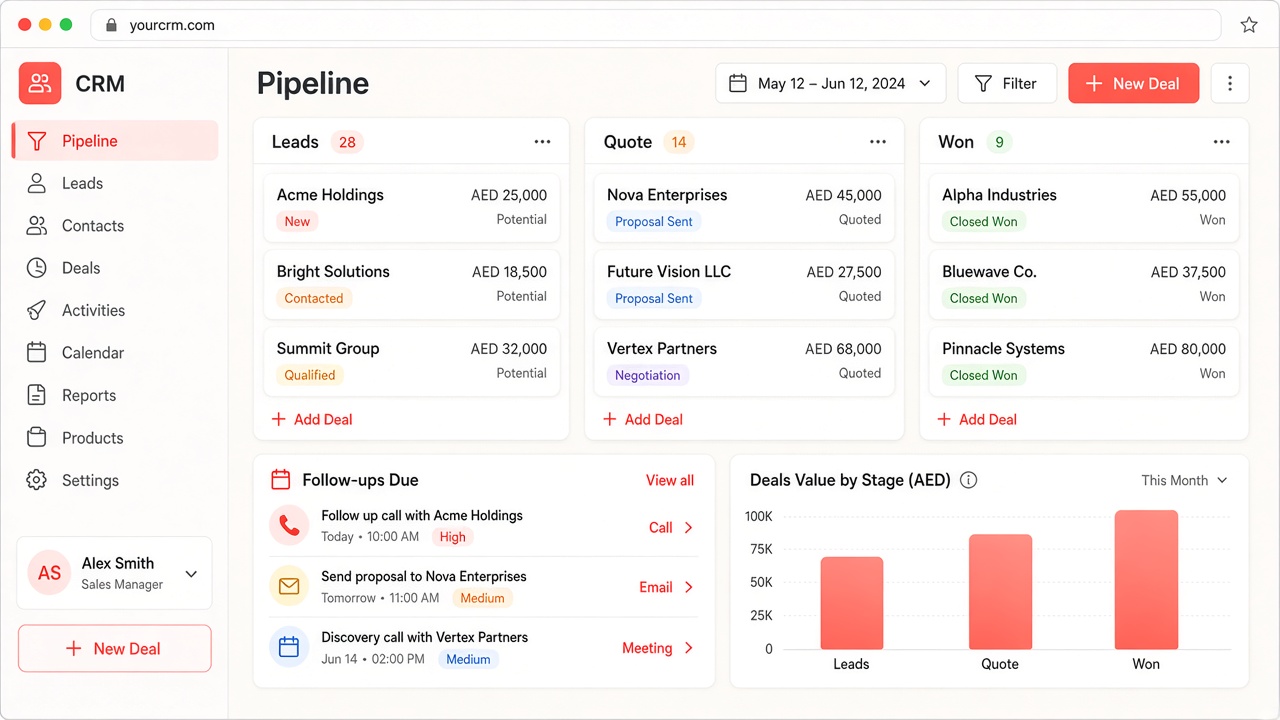
01 · Pipeline
Sales pipeline
Leads → Quote → Won — your stages, not a generic template.
- Kanban stages matched to how your team sells
- Deal cards with value, owner and next step
- Search and filters across the pipeline
- AED-ready amounts for regional teams
Move deals forward in one board. Nothing hides in spreadsheets.
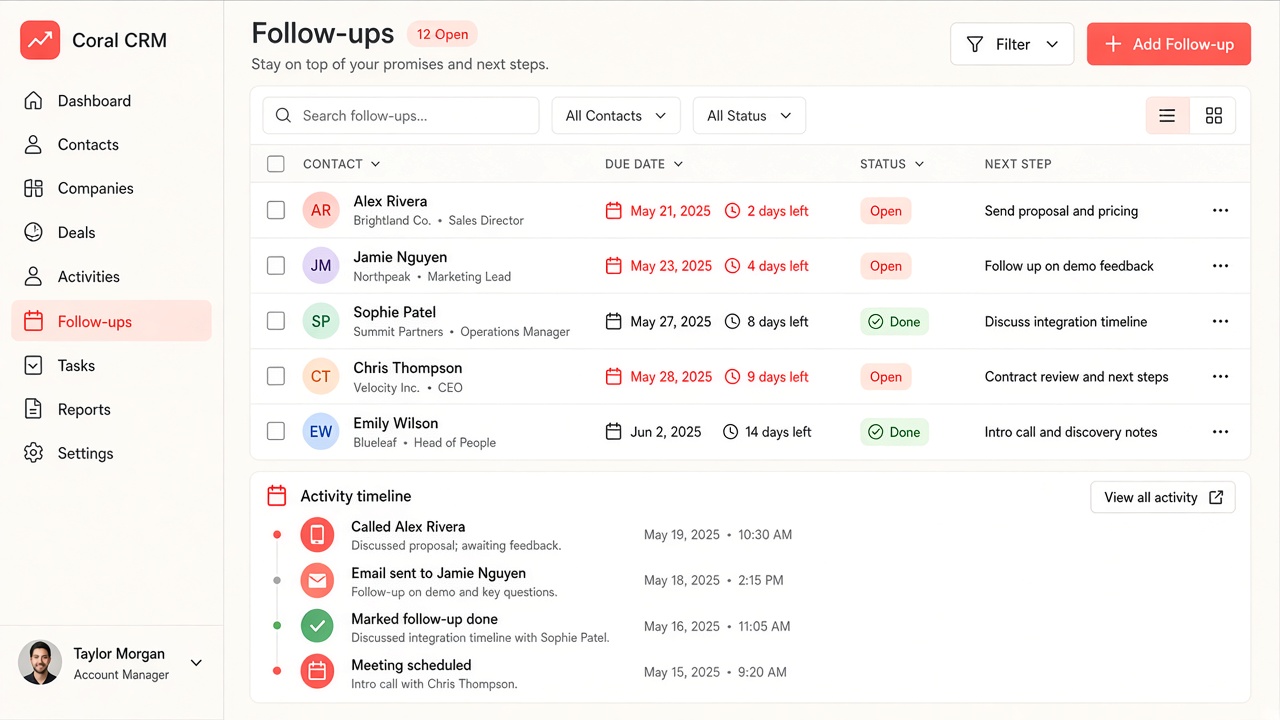
02 · Follow-ups
Follow-ups & tasks
Nothing falls through — due dates and owners on every next action.
- Task list with due dates and status
- Contact context on every follow-up
- Activity timeline for the account
- Manager view of overdue items
03 · Reports
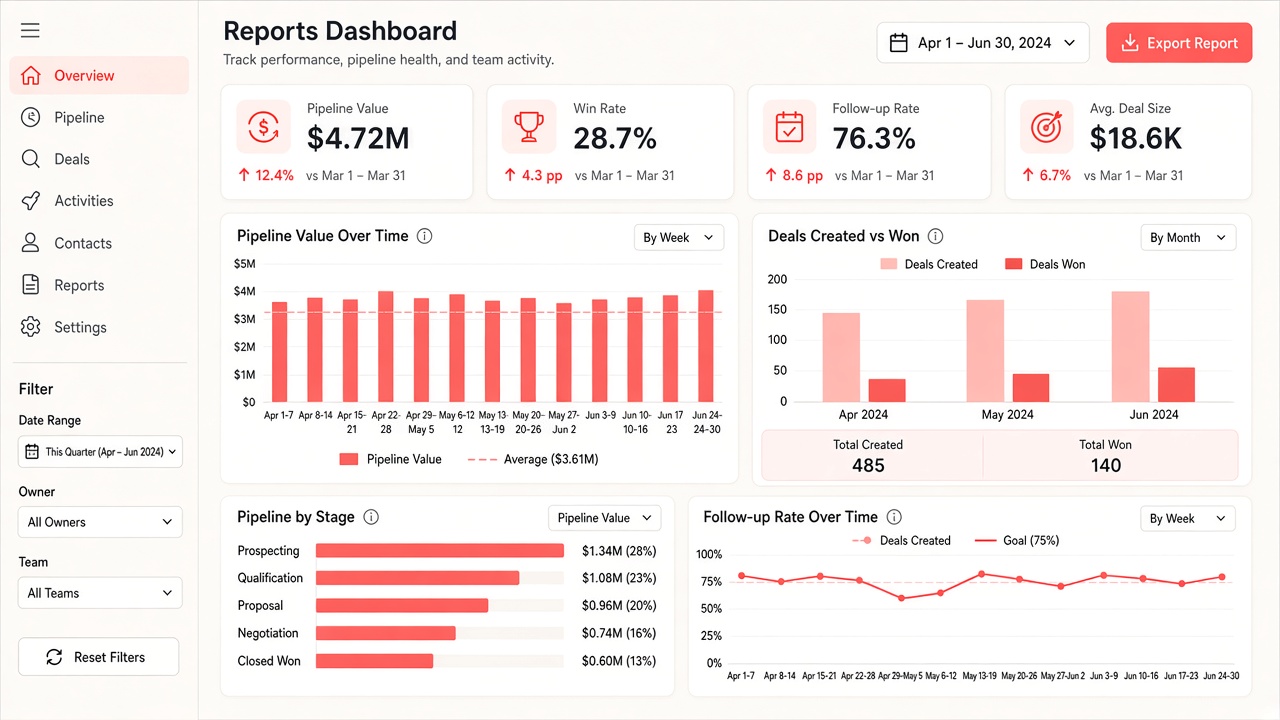
Simple reports
Pipeline value, win rate and follow-up health — without an analyst.
- KPI cards for the metrics that matter
- Charts for pipeline and conversion
- Export-friendly summaries for leadership
- Built from the same deal data your team already enters
Capabilities
What this example covers
Typical CRM capabilities we implement for sales teams.
Built around your process
Stages, fields and follow-ups match how you sell — not a one-size package.
Only what you need
Pipeline, tasks and reports — without unused modules.
Example, not a client brand
Mockups illustrate capability. We rebuild around your business when you start a project.
Want something like this for your business?
We rebuild CRM, booking and similar systems around your process — not a generic template.