Booking System
An example of booking systems we design for clinics, salons and service businesses — pick a slot, confirm, and manage the day from one admin view. Visuals are capability mockups based on systems we’ve built before.
Category
Booking portal example
Setup
Website · customer + admin
Stack
Custom booking portal
Mode
Capability preview
Screens
Book. Confirm. Run the day.
Customer-facing calendar and a simple back-office list so the front desk stays in control.
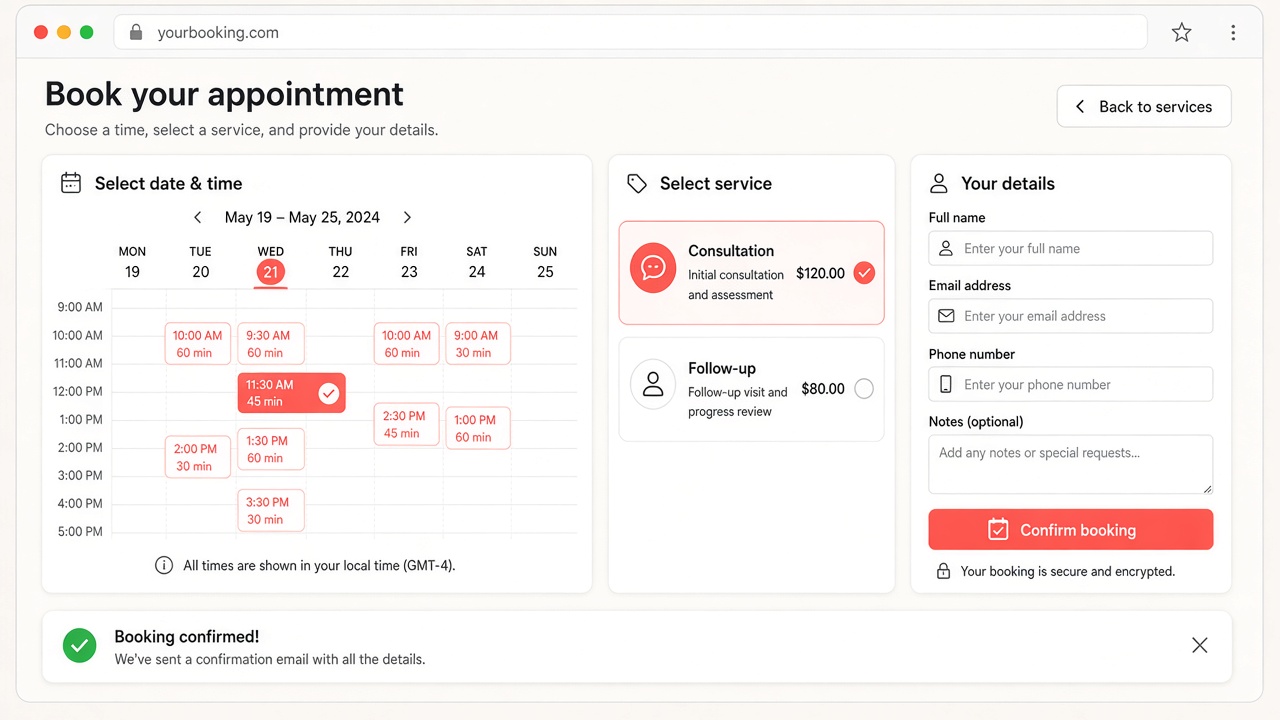
01 · Calendar
Booking calendar
Available slots in one glance — no back-and-forth on WhatsApp.
- Week or day view with open slots
- Service selection before confirming
- Coral highlight on the chosen time
- Works on desktop and mobile browsers
Customers book themselves. You only handle exceptions.
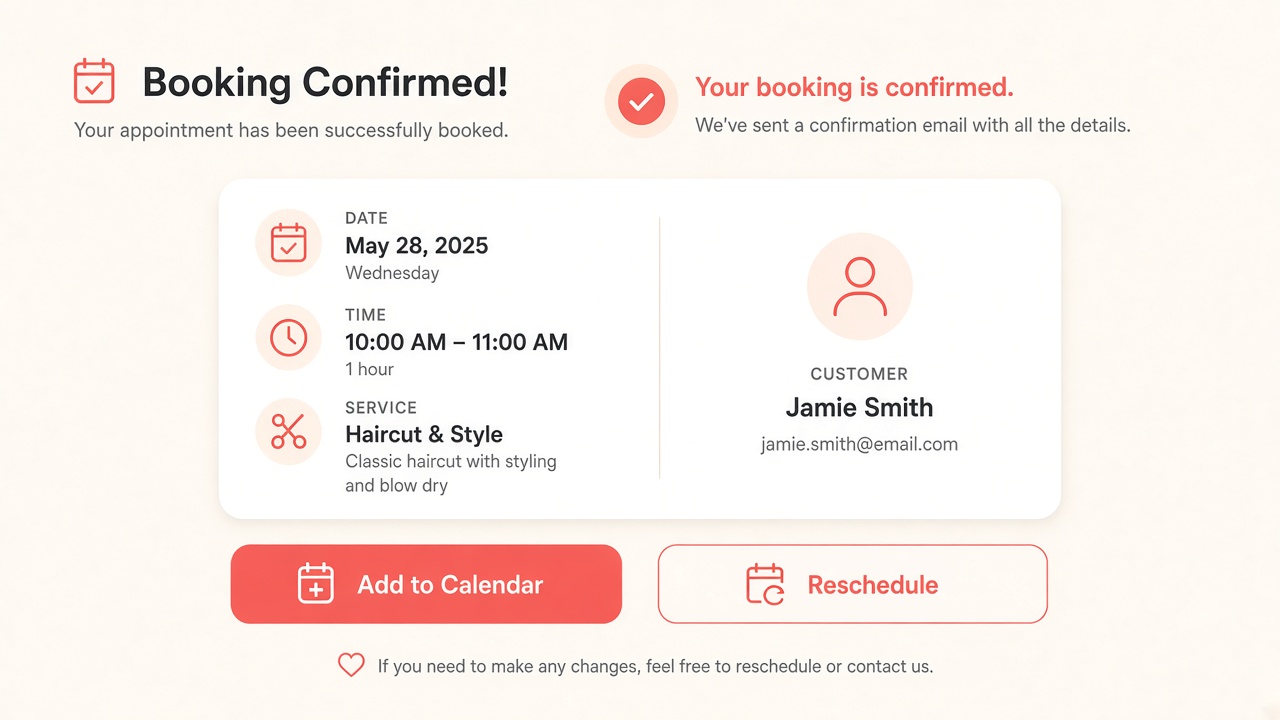
02 · Confirm
Confirmation
Clear success state — date, time, service and next steps.
- Booking summary the customer can trust
- Reschedule path when plans change
- Add-to-calendar friendly details
- Reduces no-shows with clarity
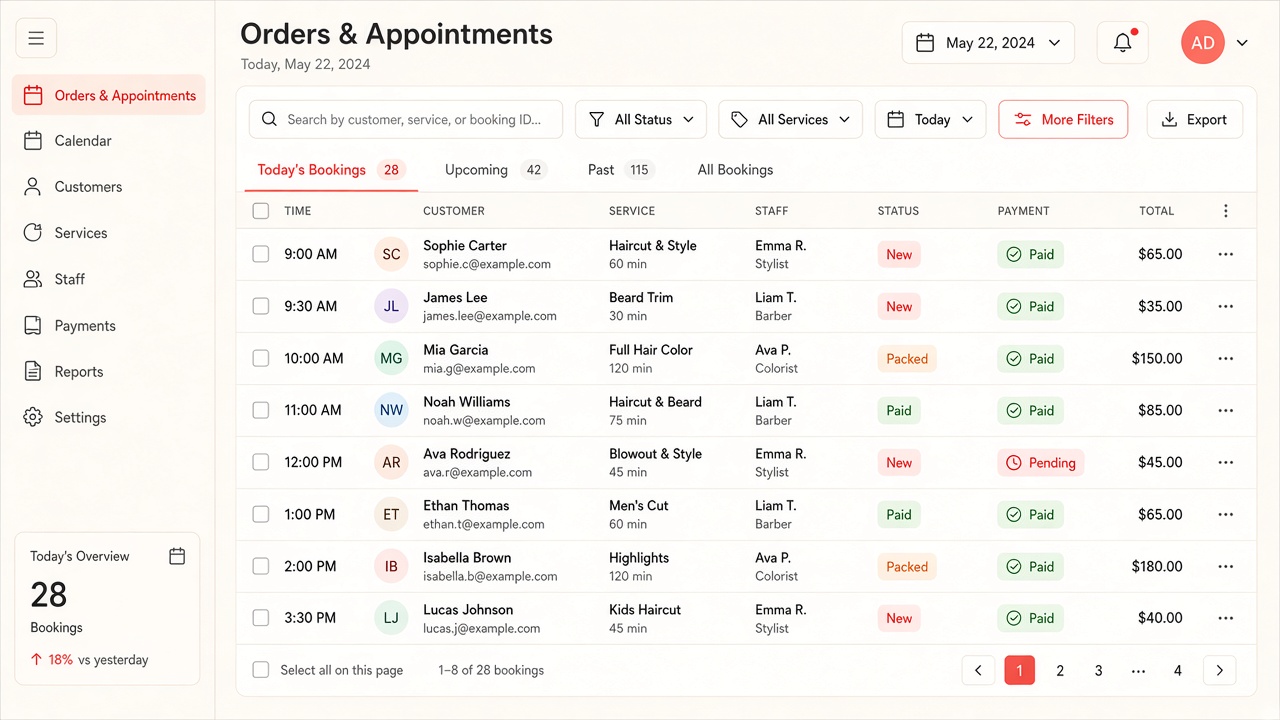
03 · Admin
Appointments admin
Today’s list with status — so the desk knows what’s next.
- Search and filter appointments
- Status chips for paid / pending / new
- Day overview for front-desk staff
- Foundation for reminders and follow-ups
Capabilities
What this example covers
Typical booking capabilities we implement for service businesses.
Website + workflow
Public booking page connected to how your team runs the day.
Fewer missed slots
Clear confirmations and an admin list beat scattered chat bookings.
Example, not a client brand
Mockups illustrate capability. We shape the real portal around your services and hours.
Want something like this for your business?
We rebuild CRM, booking and similar systems around your process — not a generic template.