Basketball Scoreboard
An operator console and LED court display that stay in sync in real time — game clock, shot clock, scoring, breaks, sound cues, and full box-score tracking. Built to run fully offline on Windows.
Category
Custom desktop app
Setup
Dual-screen live
Stack
Electron · Windows
Mode
Fully offline
Screens
Three windows. One live game.
Controls for the operator, LED board for the court, box score for per-player stats — all synced.
01 · Operator
Scoreboard Controls
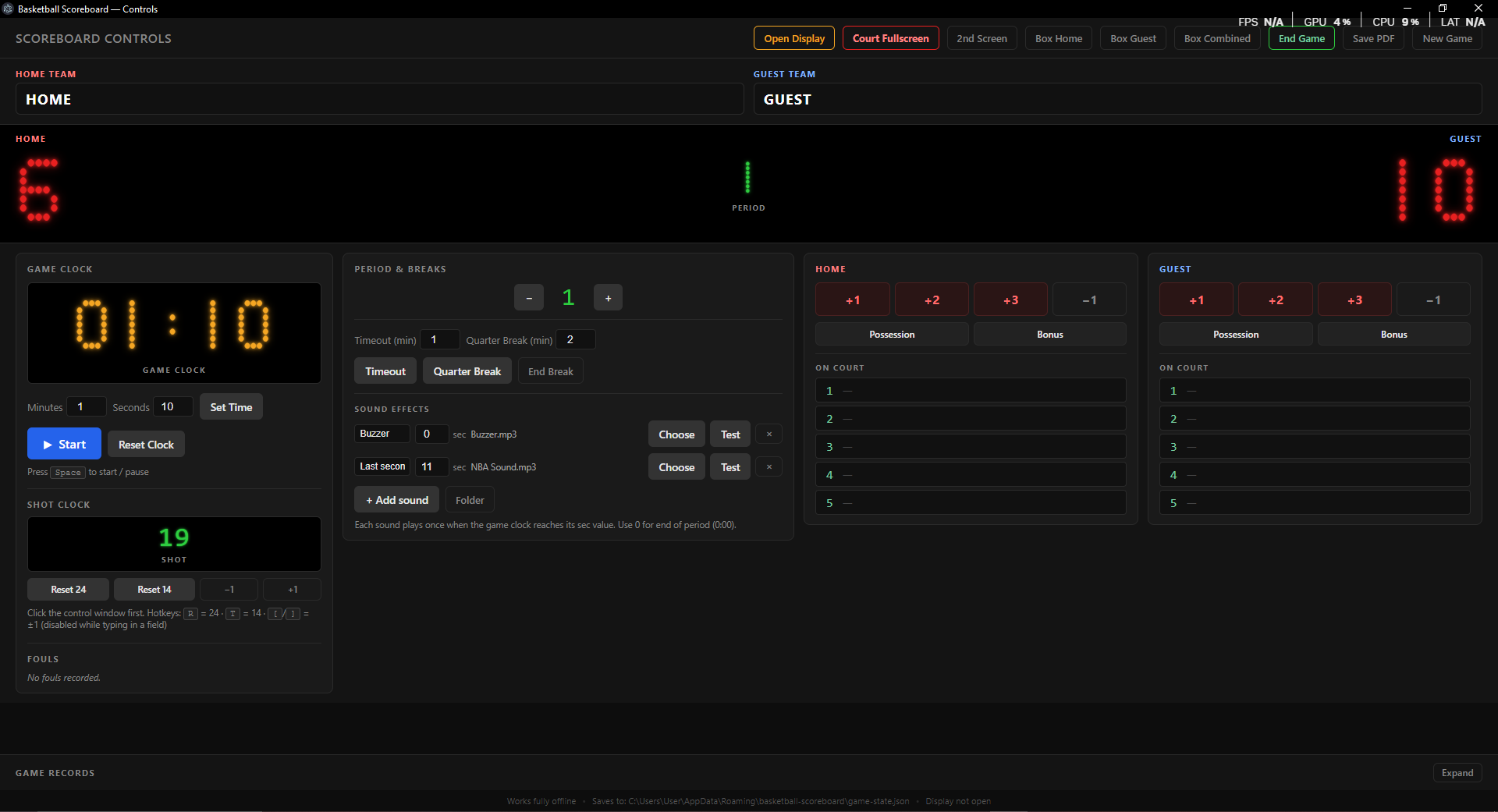
The master console. Run the game from one laptop — clocks, fouls, periods, sounds, and scoring — with a live mirrored preview of the board.
- Open Display, Court Fullscreen, 2nd Screen, Box windows, End Game, Save PDF, New Game
- Home / Guest team names + mirrored score preview
- Game clock with set time, Start / Reset, Space to pause
- Shot clock: Reset 24 / 14, hotkeys for live pace
- Periods, timeouts, quarter breaks and sound cues
- Scoring, possession, bonus, and 5 On Court slots
- Game Records + offline save to game-state.json
02 · Court
Display Board
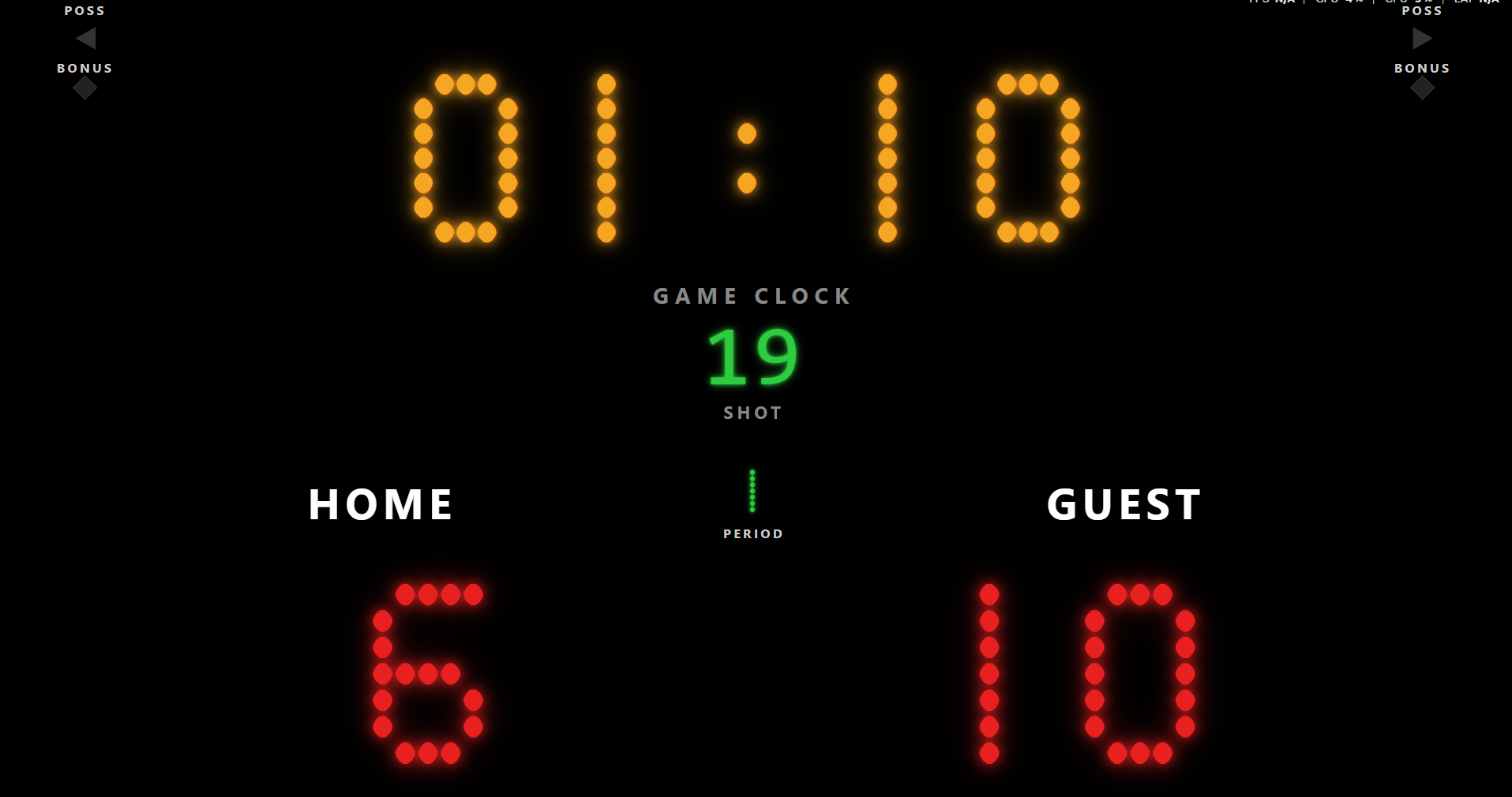
Fullscreen audience screen — no chrome, no buttons. Designed to read from across the court like a physical LED board.
- Large amber dot-matrix game clock
- Green shot clock and period indicator
- HOME / GUEST names with large red scores
- Possession arrows and bonus diamonds
- Pure black background, projector-ready
03 · Stats
Box Score / MVP Tracking
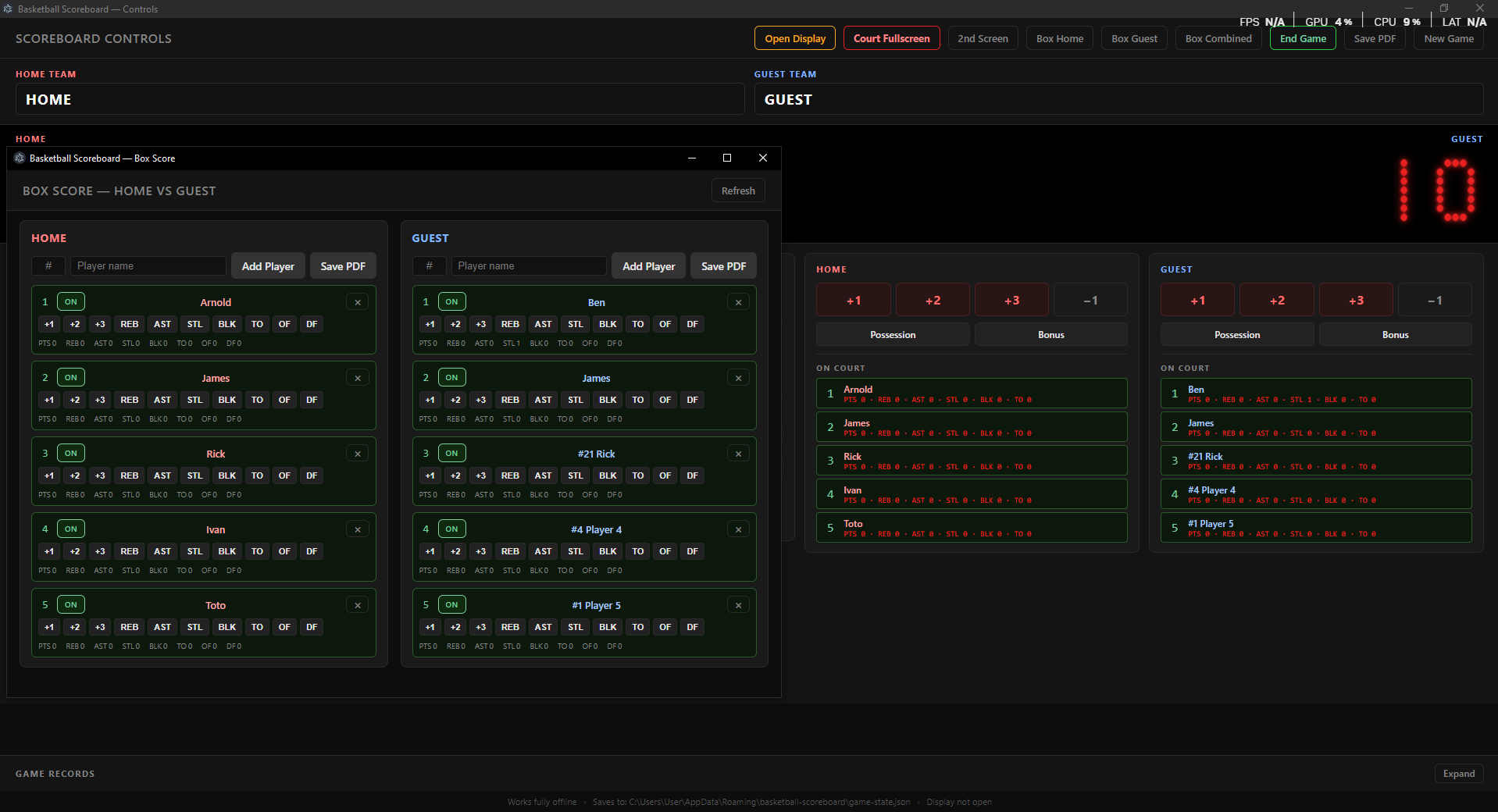
Separate stats window for per-player entry. On Court panels on the control window update live — the two views stay synced.
- Box Score — Home vs Guest with Refresh
- Add players by jersey # and name; Save PDF
- Player cards with ON toggle and remove
- Stat buttons: +1, +2, +3, REB, AST, STL, BLK, TO, OF, DF
- Running totals under each player
- Live On Court lines mirrored on Controls
Capabilities
Built around how the game is run
Only the controls operators need — nothing bloated.
Dual-screen sync
Controls on the laptop, LED board on the second monitor or projector — updates in real time.
Game + shot clock
Set time, start/pause (Space), reset, 24/14 shot resets, and keyboard hotkeys for live pace.
Periods & breaks
Timeout and quarter-break timers with End Break — structured stoppages between quarters.
Custom sound cues
Named sounds fire once at a chosen clock second. Use 0 for end of period.
Box score / MVP
Per-player PTS, REB, AST, STL, BLK, TO, OF, DF with PDF export for game records.
Offline & durable
No internet required. Auto-saves to game-state.json and resumes where you left off.
Need an app built around your workflow?
Websites, apps and CRM — improve what you have or build what you need.